Internet Banking
Secure 24/7 access to your accounts, transfers, payments, and statements — built for speed, clarity, and control.
Why customers choose our Online Banking
Everything you need to manage daily banking — with modern protection and a clean, fast interface.
Security-first
Protected sessions, secure access controls, and continuous monitoring to help keep your account safe.
Fast transfers
Send money quickly with clear confirmations and transaction history you can trust.
Statements & history
View balances, track spending, and access your transaction history in a few clicks.
Mobile-friendly
Designed to work smoothly on phones, tablets, and desktops — no extra app required.
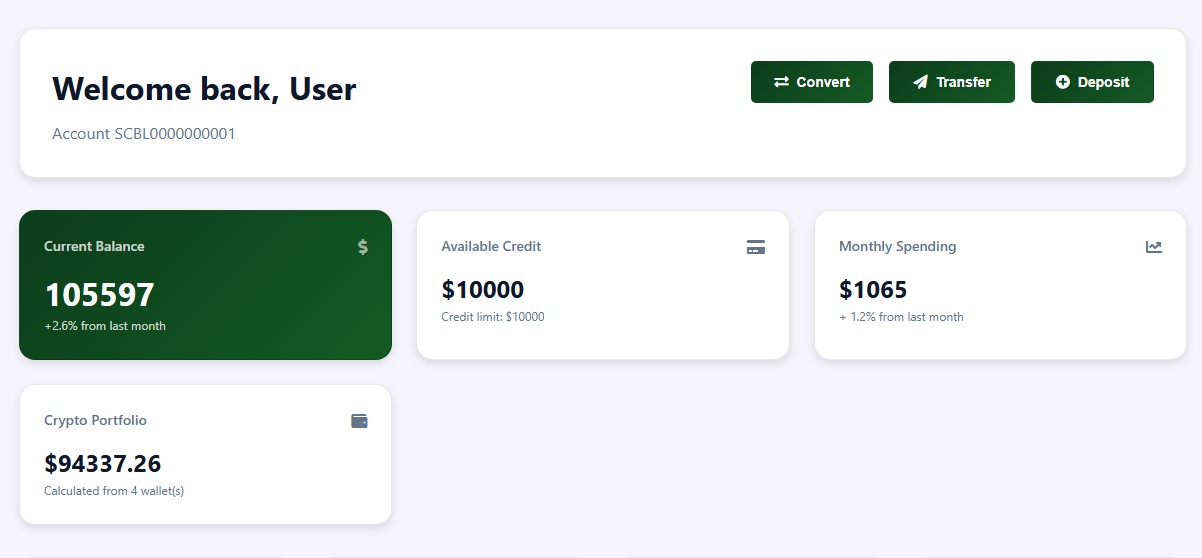
Clear dashboard
A simple overview of your banking activity so you can make decisions confidently.
24/7 access
Check balances, review activity, and manage your account anytime, anywhere.
Key features
- ✓ Balance overview and account details
- ✓ Transfers between accounts and to beneficiaries
- ✓ Transaction history with clear statuses
- ✓ Notifications and important updates in one place
- ✓ Secure sign-in and session protection
Built for peace of mind
We focus on practical security and a clean experience: fewer distractions, clearer actions, and safer access.
Frequently asked questions
Is Online Banking available 24/7?
Yes. You can access your account any time. In rare cases, maintenance may temporarily affect availability.
Can I use Online Banking on my phone?
Yes. The interface is responsive and works smoothly on mobile devices and tablets.
What if I need help with a transaction?
Our support team can assist you. Use the Contact Support button above or visit the contact page.